
New in 0.5.0 · An AI agent in the editor
Build 3D games in Ruby.
With Ruby, the most human-friendly language.
RedGem is a game engine with its own editor. Build your levels, write the gameplay in Ruby, press Play, ship it for Linux, Windows and Android.
Experimental. A young engine with rough edges, built on open source: Blender, Jolt Physics, raylib, mruby and more.
Video assets, all CC0: Treasure Chest by Rico Cilliers · Coast Rocks 01 and Ballito Rocky Beach HDRI from Poly Haven.
New in 0.5.0 · Agent panel and MCP
A coding agent inside the editor.
Chat with Claude Code or Codex in the editor's Agent panel. The agent works in your game's folder and drives the editor through its built-in MCP tools: it lists and moves objects, presses Play, reads the errors and looks at the viewport.

scene_edit and checking it with game_shot. Scene: Treasure Chest by Rico Cilliers, the coast scan and the sky from Poly Haven (CC0).- Agents you already use: Claude Code and Codex come as presets over the Agent Client Protocol, or add your own.
- See what it does: answers stream in with tool calls and their diffs, the agent's plan, permission questions and a Stop button.
- Live editor tools: scene edits are undo steps, Play and single frames are a call away, and
game_queryreads the running game. - Conversations kept: each game lists its past sessions, and the last one comes back when you open the game again.
- Any MCP client:
redgem mcpgives the same tools to other clients, with read-only mode and an exact tool allow list.
# Open the game: the Agent tab sits beside the Inspector
redgem my-game

# Or give another MCP client the same tools:
# the open editor when there is one, the files otherwise
redgem mcp my-game --editor auto

# Inspect saved files without an editor
redgem mcp my-game --read-only
Scripting
Your game is Ruby classes.
Players, enemies, pickups, rules, HUD: each one is a behaviour you attach to objects. No bindings to write, no build step. Save the file and press Play.
- Everything gameplay needs: input, physics, triggers and collisions, sound, on-screen text, loading levels, spawning objects.
- Scenes set up in Ruby: one file says who drives, who walks and what spawns.
- No
require: a class loads the first time you use its name. - Errors don't crash the game: the failing behaviour is switched off and the backtrace goes to the console.
# scripts/player.rb
class Player < Behaviour
  SPEED = 6.0
  JUMP = 9.0

  def update(dt)
    move = Vector3.new(Input.axis(:horizontal), 0,
                       -Input.axis(:vertical))
    character.move(move.normalized * SPEED)
    character.jump(JUMP) if Input.action_pressed?(:jump) &&
                            character.grounded?
  end

  def on_trigger_enter(other)
    return unless other.tag?(:coin)

    Audio.play(:coin)
    GameManager.instance.collect_coin
    other.destroy
  end
end
# scripts/main_scene.rb
class MainScene < SceneScript
  SPEEDS = { "Slime" => 1.5, "Bat" => 4.0 }

  def setup
    find!("Hero").add_component(Player)
    Camera.main.add_component(CameraFollow)

    SPEEDS.each do |name, speed|
      enemy = find!(name)
      enemy.add_component(Patrol, speed: speed)
    end
    find_all(:coin).each { |c| c.add_component(Spin) }
  end
end
Scenes
The level says what is there. Ruby says what it does.
Levels are plain glTF files, built in the editor or exported from Blender. A scene script attaches behaviours, sets their parameters and spawns copies, so the whole game stays in one language.
Made with RedGem
One engine, different games.
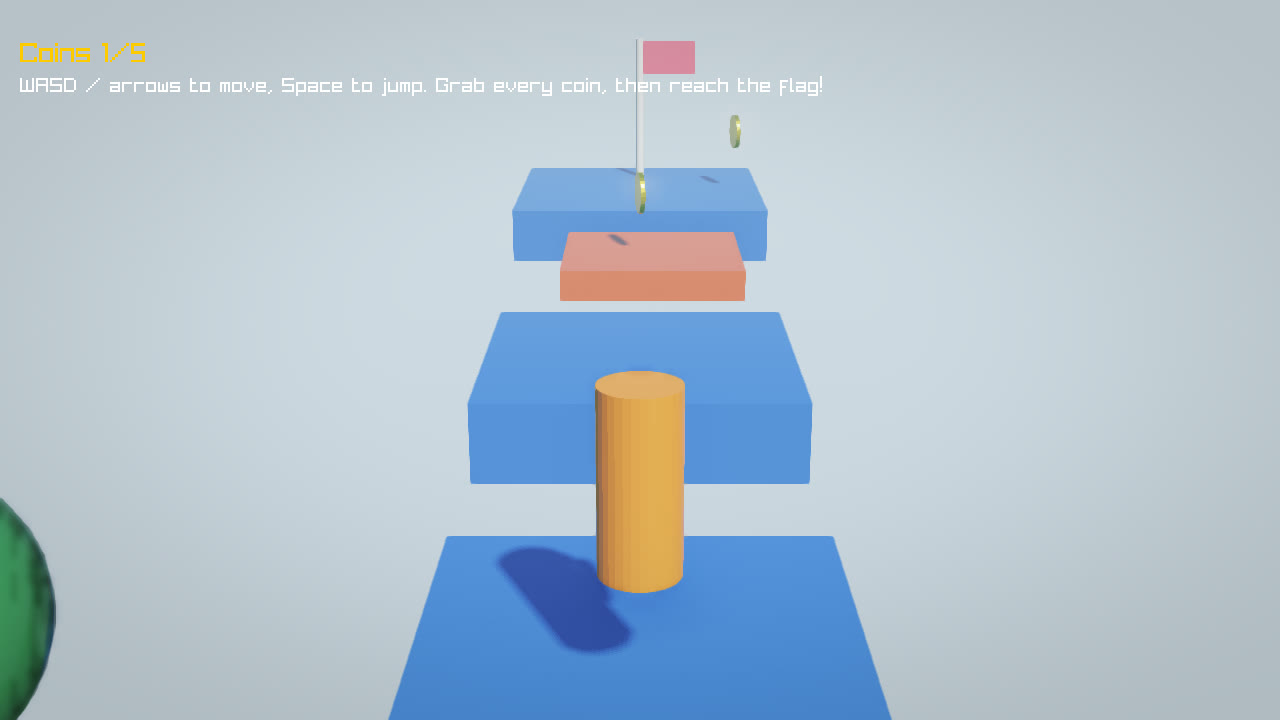
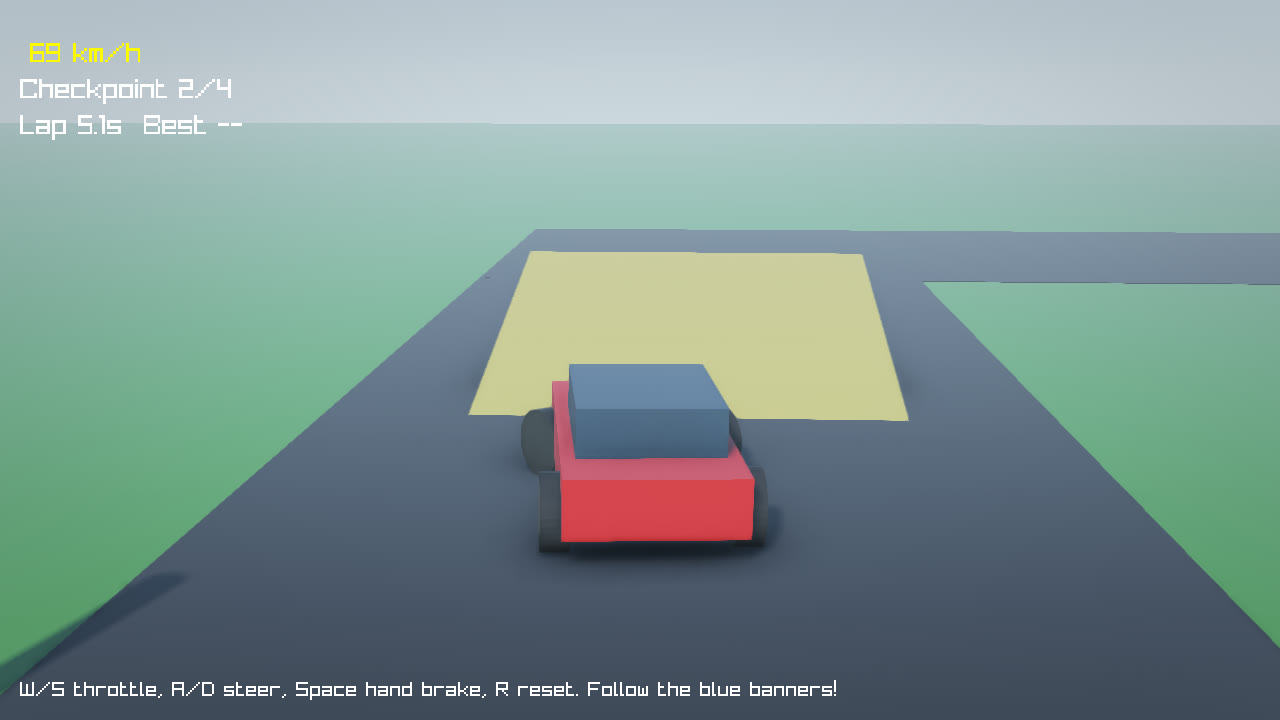
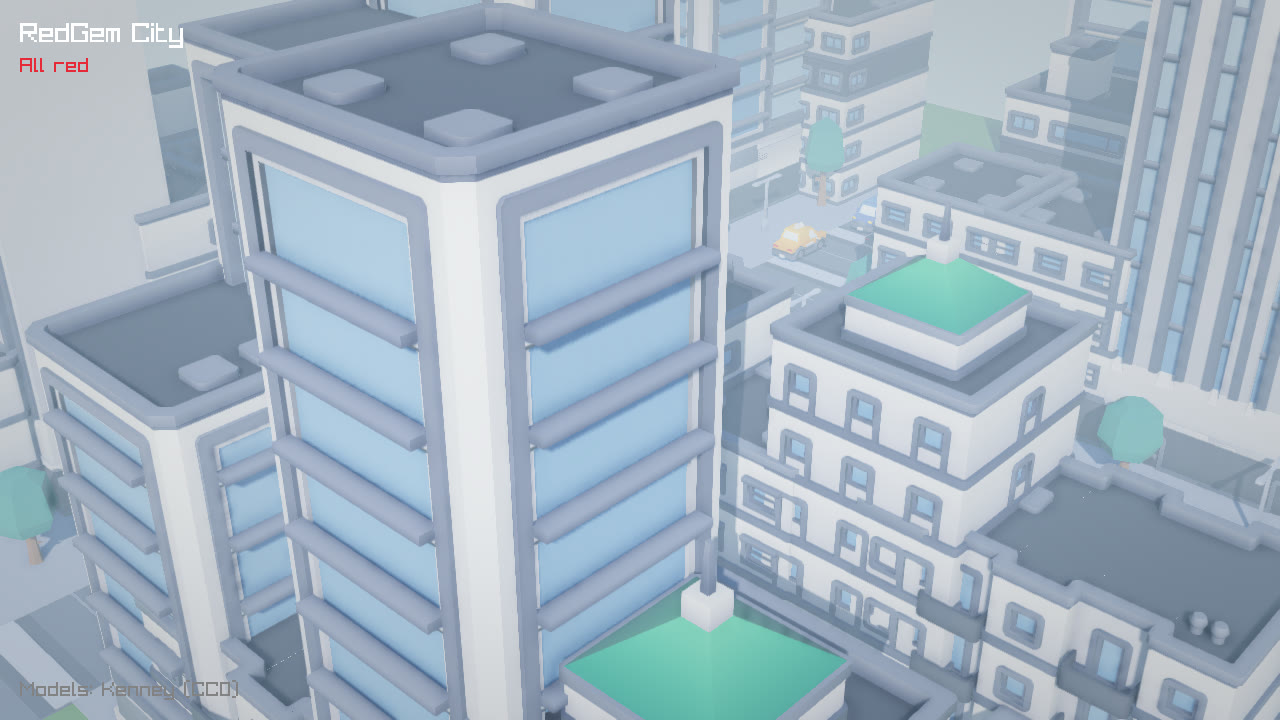
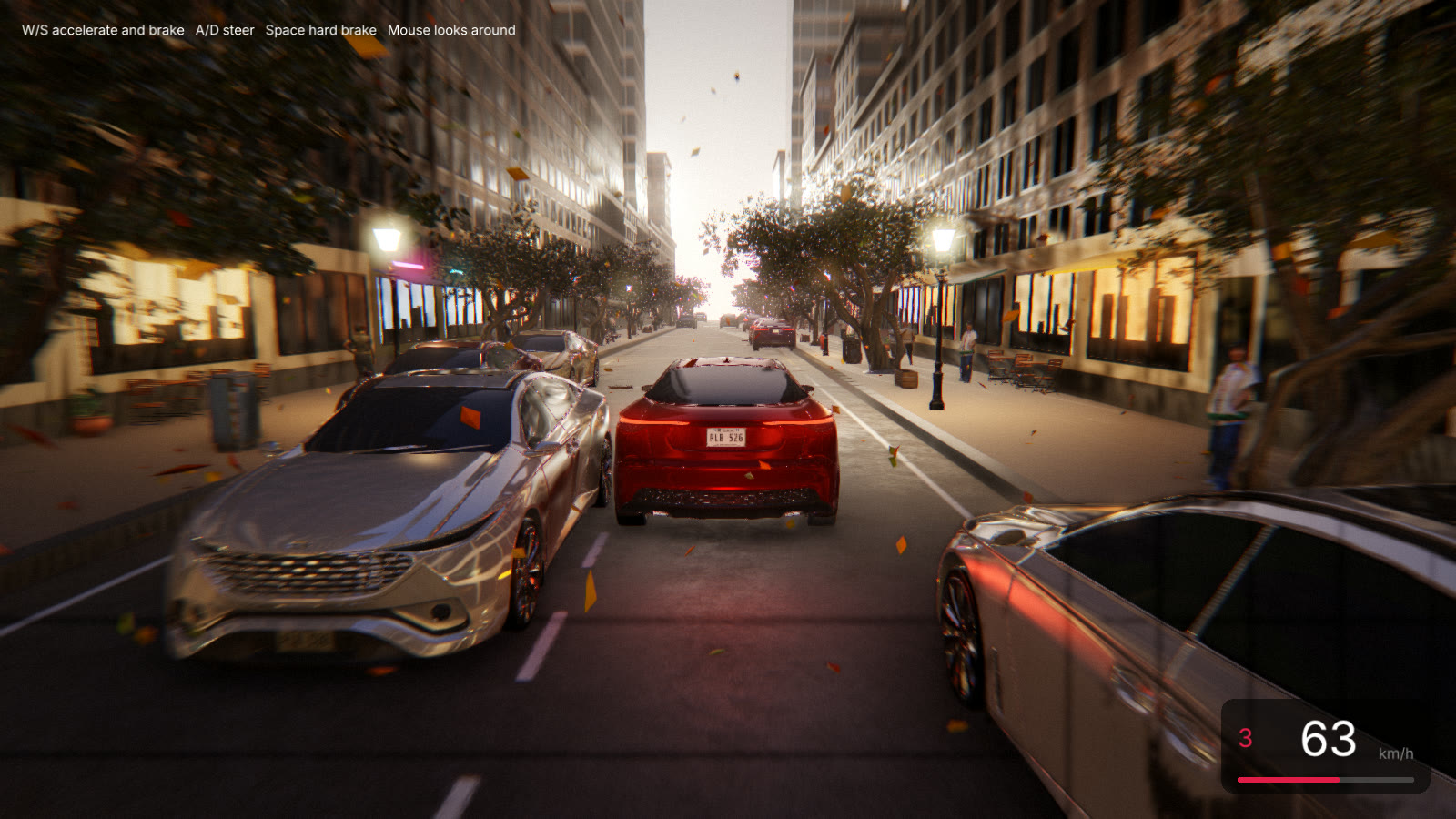
These demos ship with the engine, scripts and tests included. Each is a small game or scene built to exercise a different part of it.
Editor
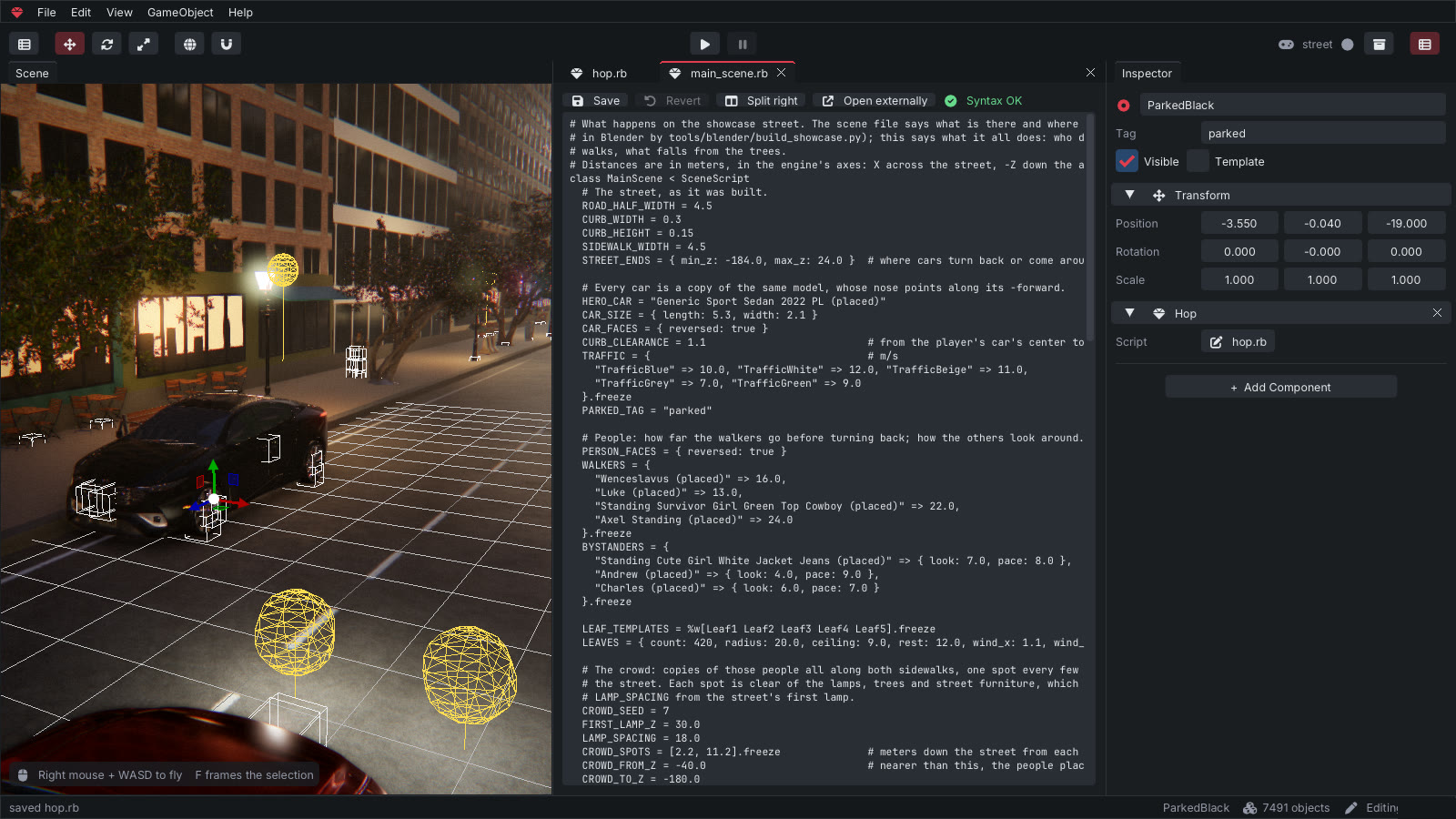
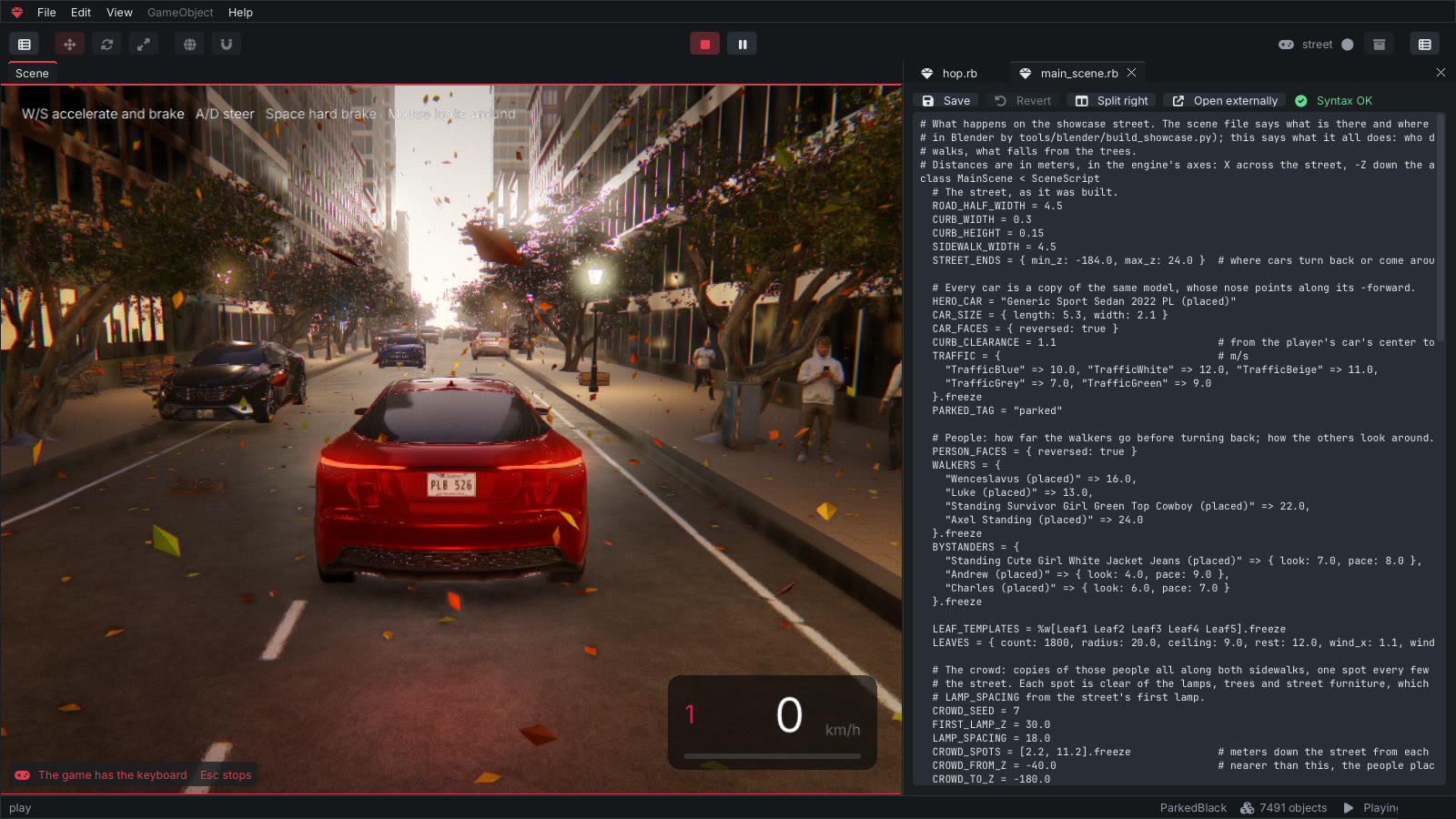
Build, script and play in one window.
Scene view with gizmos, hierarchy, inspector, Ruby tabs that split side by side, a console with backtraces, and a Play button that runs the game right where you are editing.
Features
What is in the box.
Gameplay
Keyboard, mouse and gamepad, triggers and collisions, timers and tweens, particles, sound and music, saved progress, level loading, spawning from templates.
Multiplayer
Games on the same network find each other; over the internet, players meet in a room by a short code, through a relay that ships with the engine, or join a dedicated server with rooms of its own and saves in SQLite. The game can approve each player. Scripts talk in named messages, and objects stay in sync across machines in a compact binary format.
Menus and HUD
Buttons, images and text drawn from Ruby; pause the game with a menu on top. A title screen, pause and end screen ship with the template.
Rendering
PBR materials, a sky picture (HDR) that lights the scene, cascaded soft shadows, reflections, ambient occlusion, bloom, fog, color grading, speed blur, MSAA and temporal anti-aliasing. Thousands of trees and grass blades drawn at once with Scatter.
Effects
Particles that change size, color and transparency over their life, flipbooks, soft and lit particles, see-through materials, and lights scripts can change.
Video recording
redgem mygame --record out.mp4 plays your game frame by frame into a video, at any size, for trailers and screenshots.
Translations
Every text the editor and your game show comes from a translation file, so a game can speak its player's language.
Settings and controls
A settings screen your players reach from the title and pause menus: window mode, resolution, render scale, vsync, quality presets and volume, plus a controls page to rebind every action on the keyboard and up to four gamepads. Scripts read and change it all through Settings and Input.
Positional audio
Audio.play_at places a sound in the world: it pans and fades with its distance from the listener, and scripts move it with whatever makes it.
Text in any language
UI text draws Greek, Cyrillic, Polish, Turkish, the euro sign and more, and a game can bring its own font from fonts/.
Crash safety
Saves are written whole and keep a backup, so a crash or a power cut never loses them. A script stuck in a loop is stopped and the game goes on, and a crash leaves a report beside the save.
Ready to ship
Give your game an icon, a version and a splash picture in game.json: each build turns them into the system's own. Mac apps, Android App Bundles for Google Play, and Android apps that ask for the network only when the game goes online.
Built-in MCP tools
Connect to the live editor: inspect and edit scenes with undo, create or remove objects, control Play, single-step and capture the viewport. Headless runs, assertions, scene diffs and cursor-based errors help check the result. MCP setup and permissions.
Terrain
Ground you sculpt in the editor with a brush: raise, lower, smooth, flatten. Collisions follow its shape.
Physics
Rigid bodies, character controllers, vehicles with wheels, triggers and raycasts.
Animation
Skeletal animation from glTF, GPU skinning with up to 1024 bones, a clip per character with fades and mixing, crowds of copies out of step with each other, animations kept in step online.
Blender pipeline
Model and lay out levels in Blender; custom properties carry gameplay data into the game.
Testable games
System tests are Ruby scripts that play the game frame by frame and take screenshots.
Builds for Linux, Windows, Mac and Android
One click makes your game a Linux binary, a Windows .exe or an Android .apk, all built from Linux; on a Mac, a Mac app. On a phone, touch controls appear by themselves.
Workflow
From a model to a game.
Model
Build the level in Blender and export it as glTF, or drop models into the editor.
Script
Write behaviours in Ruby in the editor's tabs, or in your own editor.
Play
Press Play: the game runs in the scene view with your latest edits.
Ship
Build for Linux, Windows or Android and share it.
Built with
Standing on open source.
RedGem was not built from zero. It is C++17 glue and tooling around these projects, and would not exist without them. Thank you to the people behind them.
| Project | Used for | License |
|---|---|---|
| Blender | Modeling, level building and the scene exporter | GPL |
| Jolt Physics | Rigid bodies, characters, vehicles, raycasts | MIT |
| mruby | The Ruby interpreter that runs game scripts | MIT |
| raylib | Window, input, OpenGL rendering, audio | zlib |
| cgltf | Loading glTF scenes | MIT |
| Dear ImGui | The editor's interface | MIT |
| rlImGui | Dear ImGui on raylib | zlib |
| ImGuizmo | Move, rotate and scale gizmos | MIT |
| nlohmann/json | glTF JSON and settings | MIT |
| doctest | C++ tests | MIT |
| Inter, JetBrains Mono, Font Awesome Free | Fonts and icons | OFL |
Demo assets: Kenney, Poly Haven and ambientCG (CC0); the showcase car and scanned people come from BlenderKit.
How to install
Download, unpack, run.
Version 0.5.0. Nothing to install. RedGem is experimental and free, under the MIT license. What is new.
Linux
x86_64, OpenGL 3.3, Ubuntu 24.04 or newer. The tested one: builds games for Linux, Windows and Android.
Windows
x86_64. Compiled from Linux and only tried under Wine so far: tell us what breaks. Builds games for Windows.
macOS
macOS 11 or newer. Tested on GitHub's Macs, not yet on a real one: tell us what breaks. Not signed by Apple: right-click the app and choose Open the first time.
1. Unpack
Anywhere you like. To remove RedGem, delete the folder.
2. Run
bin/redgem on Linux, redgem.exe on Windows, RedGem.app on a Mac. The project hub opens.
3. New game
Pick Platformer, give it a name: the editor opens with a level ready to play.
4. Play
Press Play. Move with WASD, jump with Space. Then open a script and change it.
The source is on GitHub: issues and small pull requests are welcome, and the known limitations are a good place to start.
Prefer to build it yourself? You need a C++17 toolchain, CMake and Ninja; every library is downloaded at a pinned version. The manual has the details, Docker included.
git clone https://github.com/carlosdanielpohlod/redgem.git && cd redgem
cmake -S . -B build -G Ninja && cmake --build build
./build/src/redgem                        # project hub
./build/src/redgem new my_game --template platformer